
EECE 235 is the digital logic course in my electrical engineering degree. The whole semester was written in Verilog and run on a Terasic MAX10 FPGA board (the DE10-Lite), built with Intel Quartus Prime. I filmed a demo of every project, so this post walks through the whole course in order, with each video where it belongs.
All the source is in my EECE235DigitalLogic repository on GitHub, and the formal reports are on the project page: the Whack-A-Mole report and the final project report.
From gates to games
The first assignments were pure combinational logic. In HW5 I wrote the same four-variable function two ways: once behaviorally, as a Boolean expression, and once structurally, out of individual not, and and or gates. I then gave every gate a two-nanosecond delay, so the testbench could show the output glitching before it settled. That is the idea that the rest of the course keeps coming back to: the circuit you describe is not the same as the circuit that runs, because real gates take time.
After that the work turned sequential. Registers, counters, finite state machines and clock dividers are what make a game possible, because a game is a state machine that waits for a human.
Reaction timer (HW 9)
This was the first project in EECE 235 that felt like a product instead of an exercise. You flip a switch to arm the board, wait for every LED to light, and press a button as fast as you can. The board shows your reaction time in milliseconds.
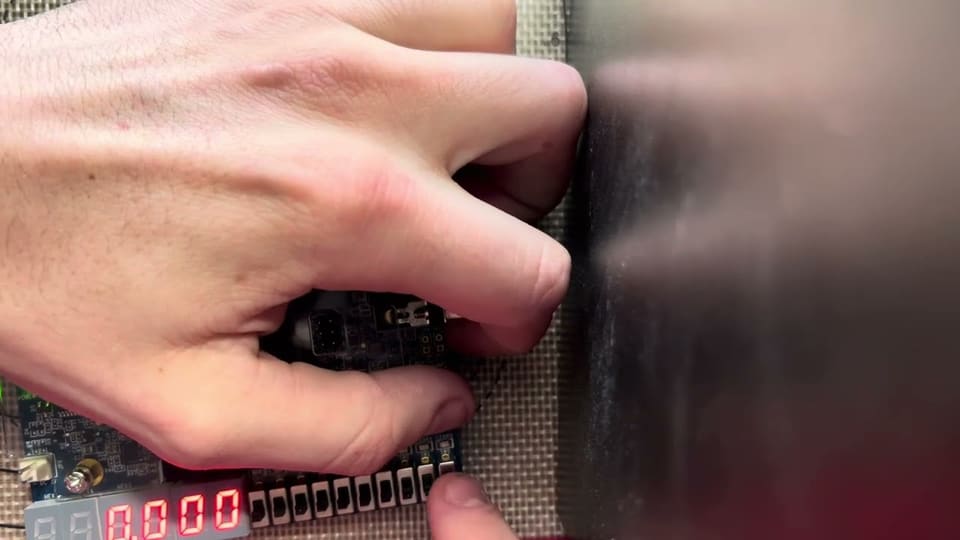 EECE235 HW 9: Reaction Timeryoutube.com
The state machine
The whole game is four states:

- Idle. Everything is cleared and the LEDs are off.
- Delay. One LED shows the game is armed while the board waits a random amount of time.
- Timing. All ten LEDs light at once and a counter starts. This is the cue to react.
- Display. The button press stops the counter, the LEDs switch to an alternating pattern, and the time stays on the displays until the switch is turned off.
The top-level module only moves the state register on three inputs: the on/off switch, the reaction button, and a flag from the timing module that says the random delay is over. A default branch sends any illegal state back to idle, and the timing module shows 888 if it ever sees one.
Making milliseconds
The board’s clock runs at 50 MHz, which is far too fast to time a human. A small module, ClockDivider100, counts 50,000 input cycles per output period, which gives a 1 kHz clock, so one tick is one millisecond. (The module is named for the 100 Hz clock I first planned; the divisor is what sets the real rate.) The state machine and the timing logic both run from that slow clock.
The timing module keeps the result as three BCD digits, each a 4-bit counter that wraps from 9 to 0 and carries into the next. That makes the displays trivial: each digit goes straight into a seven-segment decoder. Counting in BCD instead of binary avoids a binary-to-decimal conversion in hardware.
The random delay
If the delay were always the same, you would learn it. The module keeps a counter that adds 11 on every tick while the board sits idle. When you start the game, that value sets the delay, which lands somewhere between 50 and 950 milliseconds. It depends on how long the board was idle and where the counter happened to be, which is effectively random to the person playing.
Display polarity
The seven-segment displays on this board are active low: a zero turns a segment on. My decoder was written active high, so the top-level module inverts the bits on the way to the pins, and the unused displays are driven to all ones to stay blank. Code added after class is marked in the source as the hardware update, which is where I fixed exactly this kind of thing once the design was running on the real board and not just in simulation.
What I’d change
The reaction button is read straight from the pin. A proper version would debounce it, since contact bounce can register as a second press, and it would stop the counter on the button’s edge rather than its level.
Guess the Number (Project 3)
Project 3 was a number-guessing game that runs entirely on the board. You have seven tries to find a random number from 0 to 99. After each guess the displays say HI, LO or OK.
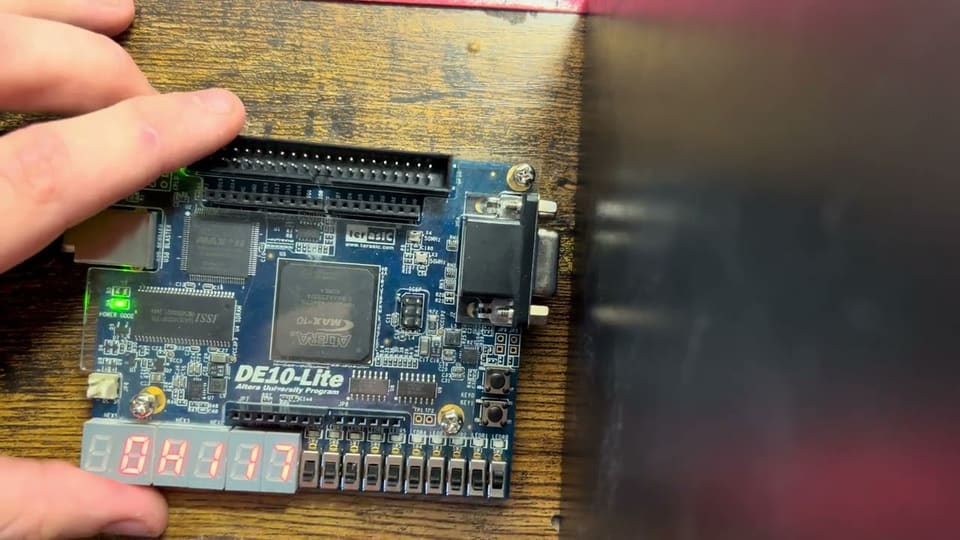 EECE235 Project 3: Guess the Numberyoutube.com
How you play it
Two switches choose which digit you are editing, ones or tens. KEY1 increments that digit, wrapping from 9 to 0, and KEY0 submits the guess. The rightmost displays show your guess, one display shows the guesses remaining, and the hint from your last guess stays up while you enter the next one. A third switch is a quick reset back to the start of a round.
If both digit switches are on, or both off, the selection is invalid and the board shows Er instead of guessing.
Seven states
The interface is a state machine with seven states: input, error, evaluate, feedback, win, lose and stats.
- Input edits the digits and waits for a submit.
- Error is shown for an invalid digit selection and returns to input once it is fixed.
- Evaluate compares the guess against the target and records whether it was high, low or correct.
- Feedback holds the result on screen for a moment before moving on.
- Win shows
YAYand the correct number, and rotates a single lit LED around the ten LEDs. - Lose appears when the last try is used up.
- Stats shows wins and losses across rounds, until the next press starts a new round.
Two small details I like
Hold to repeat. Tapping KEY1 for every number from 0 to 47 is miserable. The first press increments immediately and arms a repeat counter. If the button is still held after about 10 million clock cycles (0.2 s at 50 MHz), it starts incrementing every 4 million cycles, around twelve times a second. Releasing the button disarms it.
Edge detection. The code stores the previous state of each button and acts on key & ~keyPrev. Without this, one press would last millions of clock cycles and submit the guess millions of times.
The random number
I did not want a separate random-number generator, so the board keeps an 8-bit counter that runs on the 50 MHz clock all the time. The target is read from that counter at the moment you submit your first guess. Nobody can time a button press to a 20 ns clock period, so the number is random from the player’s point of view.
It is a cheap source with limits. The counter sweeps all 256 values in about five microseconds. The design uses its low seven bits, which run from 0 to 127, and subtracts 100 from anything above 99. That means the numbers 0 to 27 come up twice as often as 28 to 99. For a classroom game that is fine; for anything that matters, the Whack-A-Mole project uses a proper LFSR instead.
Letters on seven segments
Seven-segment displays are bad at letters, so some are approximations: OK uses a zero for the O and an A-shaped glyph for the K, and the Y in YAY is a best-fit shape. It reads fine in the video, which is the standard that matters.
Driving an 8×8 LED matrix (HW 10)
An 8×8 LED matrix has 64 LEDs but only 16 connections, one per row and one per column. You can’t light each LED separately with its own pin, so you do it by multiplexing. This homework was the groundwork for the Whack-A-Mole project, and the video shows the matrix running on the board.
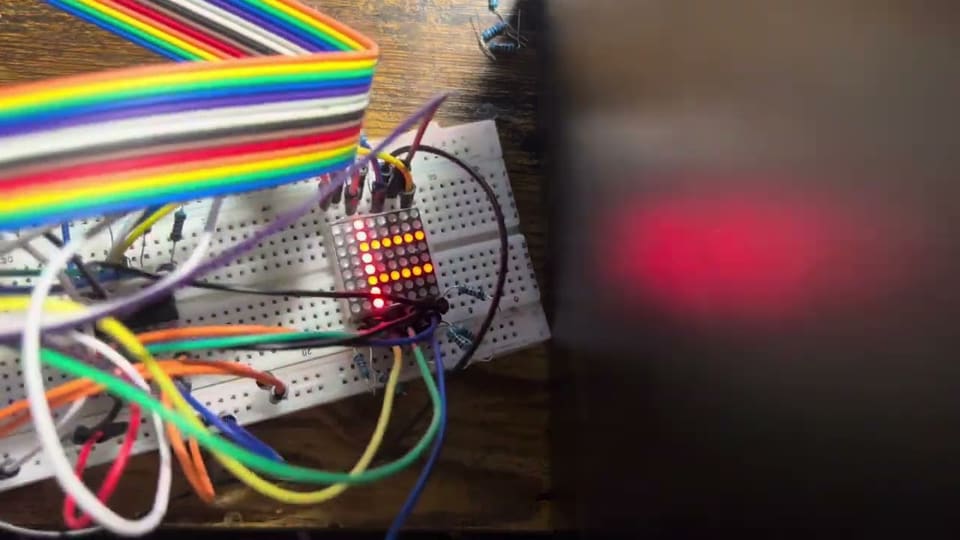 EECE235 HW 10: LED matrix and multiplexeryoutube.com
The idea
An LED at row r, column c lights when row r is driven and column c is pulled low. If you drive one row at a time, you can choose which columns are on in that row. Then you move to the next row and do it again. Do that fast enough and your eye can’t see the scanning. The whole grid looks lit at once, even though only one row is ever on.
In the driver I ended up with for the game:
- A 3-bit counter,
row_sel, counts 0 to 7 and wraps. It chooses the active row. - All rows start off, and only the row selected by the counter is driven.
- The column outputs for that row are set from the picture you want to show.
Why the clock rate matters
The scan has to be fast, so it runs from its own clock divided down from the 50 MHz oscillator to 100 kHz. With eight rows, each row is refreshed about 12,500 times a second, far above the point where flicker is visible, and each LED is on for only an eighth of the time, which is why a matrix looks dimmer than the same LEDs driven steadily.
The game logic runs far slower than the scan, so it is clocked separately. The two clocks never need to be the same, and keeping them apart is what lets the display stay steady while the game thinks.
Polarity and wiring
Real hardware needs an extra step a simulation doesn’t. The panel I used needed its row signals inverted at the pins, while the column outputs were used as driven. The matrix driver module has FLIP_ROW and FLIP_COL parameters so the picture can be mirrored without rewriting the logic if the panel is wired the other way around.
The next project uses this driver to show one lit dot as the mole.
Whack-A-Mole (Project 4)
Project 4 was the big one: a whole arcade game running on the FPGA. A mole lights up in one quadrant of an 8×8 LED matrix, and you have to press the matching button before time runs out. Hit it and the next mole comes faster. Miss, press the wrong button, or run out the clock and you lose a life. Three lives, then game over.
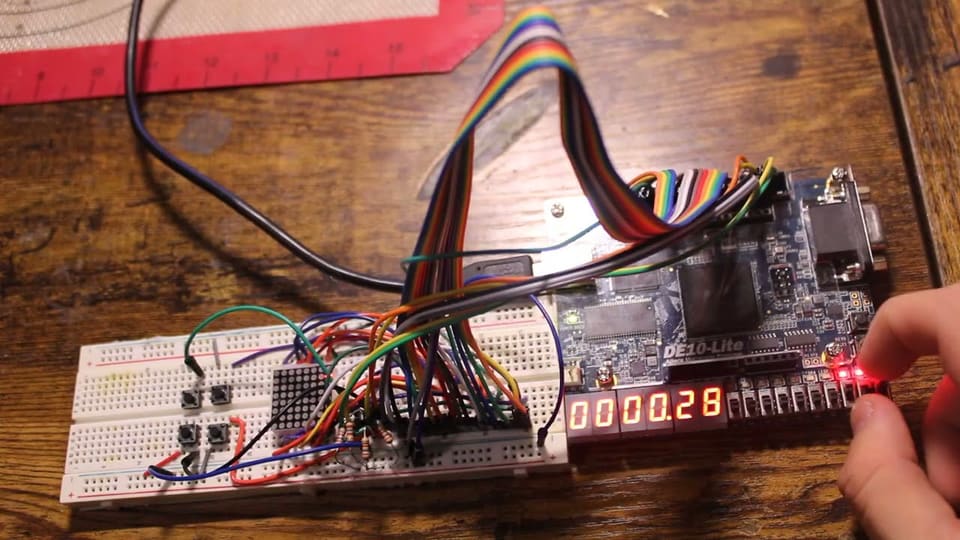 EECE235 Project 4: Whack-A-Mole on the FPGAyoutube.com
The hardware
- The 8×8 LED matrix, driven by scanning rows (the LED matrix section above covers how).
- Four external buttons, one per quadrant of the matrix.
- Switches for start, reset, show-stats and difficulty.
- Three LEDs showing the lives left, and the seven-segment displays for the score,
STARTandLOSE.
How the design is split

Everything is a small module with one job, wired together in a top-level file:
- Two clock dividers. A 100 kHz clock scans the matrix. A second divider turns that into about 100 Hz for the game, so a timer is just a down-counter that ticks once per hundredth of a second.
- The game state machine, with the score, lives, timer and random position.
- A matrix driver that lights the single dot for the current mole.
- A seven-segment decoder extended with a few letters, for the
STARTandLOSEmessages.
The game state machine

There are seven states.
- IDLE waits for the start switch, with full lives and no score.
- LIGHT_MOLE picks a position, loads the countdown and shows the mole.
- WAIT_INPUT counts the timer down and watches for a button.
- A correct press goes to SCORE_UPDATE: the score goes up, the high score is updated if beaten, and the window gets 0.1 s shorter.
- A wrong button, or a timeout, goes to CHECK, which takes a life. At zero lives it goes to GAME_OVER, otherwise to NEXT_ROUND.
- GAME_OVER waits for you to turn the start switch off and on before going back to idle.
Easy mode gives 2.0 s per mole, and hard mode 1.2 s. The window shrinks by 0.1 s on each hit and stops at 0.6 s, so the game gets harder but never impossible.
One detail that took thought was treating a wrong press and a timeout the same way. Both reach CHECK through one path, so there is a single place where lives are lost, and it can’t be skipped.
Where the random positions come from
The mole position comes from an 8-bit LFSR, a linear feedback shift register. Each time a mole is lit, the register shifts left by one and feeds the XOR of bit 7 and bit 5 back into bit 0. Two bits choose the row group and two choose the column group.
An LFSR is a better source than a free-running counter for a game, because it moves through its sequence in a fixed, well-spread order and never gets stuck. The trade-off is that it is deterministic. I seed it with a constant, A3 in hex, and reset it to that seed on reset, so after a reset the game plays the same sequence of moles. Within one session it keeps advancing across games. That is fine for a game, but it is the kind of thing you would never use for anything security-related.
Buttons: edges, not levels
The game reacts to an edge-detected button signal. A button held down can’t count as many whacks. The buttons are active low, so the design inverts them at the input and encodes the pressed one as a 2-bit zone code to compare with the mole’s zone.
The takeaway
The design works because each job lives in its own small module: two clock dividers, a matrix driver, a decoder, and one state machine that only decides what happens next. The state machine never has to know how the matrix is scanned, and the matrix driver never has to know the rules of the game. That split is what makes a 500-line Verilog file readable.
Final project: an adder that flags prime sums
The final project for EECE 235 went back to where the course started, combinational arithmetic, and combined it with everything learned since. The board adds two five-bit numbers set on its switches and shows the sum on the seven-segment displays.
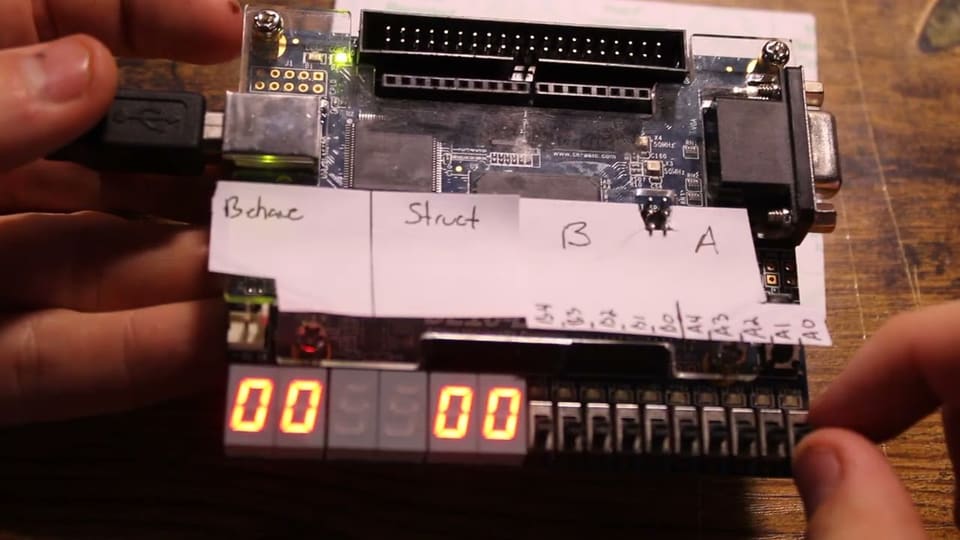 EECE235 Final Projectyoutube.com
What it does
- Two five-bit numbers come from the board’s switches, and the inputs can change at any time.
- The sum shows on the seven-segment displays and updates on a two-second latch, so the readout doesn’t flicker while the switches are moving.
- Prime sums flash and non-prime sums stay solid.
- The addition is built twice: once with structural logic and once with behavioral logic. The two results are compared, and they have to agree.
Why build it twice
This idea goes back to HW5, where the same four-variable function was written structurally from gate primitives and behaviorally as an expression. The two descriptions should be equivalent, and a testbench can prove it. Doing the same with an adder makes the check meaningful: a mistake in a hand-built version shows up as a disagreement with the one-line behavioral version.
Combinational and sequential in one design
Two five-bit numbers can add up to 62, so the sum needs six bits and has to be turned into digits for the displays. The adder itself is purely combinational, with no clock. The two-second latch and the flashing are sequential, driven by a divided-down clock, and the prime check ties the arithmetic to the display behavior. It is a small design that uses most of the course at once: gates, hierarchy, clock division and state.
Ideas that kept coming back
- Divide the clock. The board has one 50 MHz oscillator. A reaction timer needs milliseconds, a game needs hundredths of a second, and an LED matrix needs to be scanned at tens of kilohertz. Each is a small counter that turns the fast clock into a slower one.
- Name your states. Every game here is a
casestatement over a handful of named states with adefaultthat returns to idle. It makes the design readable and makes a bad state recoverable. - Look at edges, not levels. A button held for a quarter of a second lasts millions of clock cycles. Games react to the moment of the press, not to the button being down.
- Build big things from small modules. The clock dividers, the seven-segment decoder and the matrix driver were written once and reused across projects.
- Randomness is cheap, but it has to come from somewhere. I used a free-running counter in one project and a linear feedback shift register in another. They fail in different ways, which the individual posts cover.
What I’d do next
The obvious next step is to move off switches and buttons and talk to something: a UART to a computer, or a VGA display, so the game state machine could draw its own screen. The FSM-and-clock-divider pattern from this course carries over directly.