
I didn’t want to pay about two thousand dollars for a dash built for thousands of other cars and still compromise on what it shows. So I built one for this car: FrogDash, a full digital instrument cluster for my turbocharged Foxbody Mustang.
It runs on a Raspberry Pi 4 with a 12.3-inch, 1920 × 720 screen. It reads the MicroSquirt ECU and the car’s other modules over CAN, gets speed and position from GPS, and does everything on the Pi. There is no cloud, no phone app, and no internet needed to drive. The code, docs and test suite are all public on GitHub, and you can try it in your browser.
A 72-second tour of the looks and photo clusters. Both videos in this post were recorded from the simulated preview, so the readings are demo data.
This post covers what it does first, then the parts I spent the most engineering time on: the CAN contract, the logging, and everything that keeps a computer alive in a car.
Architecture

The FrogDash service is a Python (aiohttp) program that decodes CAN and GPS, runs the alerts, the logger and the race timer, and sends one snapshot to the screen many times a second. The screen is a web page in a Chromium kiosk that only draws what it is told. Commands (pump tests, lighting, firmware) go back over CAN and each waits for an acknowledgement.
Anything that needs root, like updates, Wi-Fi or CAN resets, is a separate systemd unit that the service asks for through a request file, so the code that draws the dash isn’t the code that can reconfigure the system.
Splitting the service from the display has a practical payoff: the same dashboard runs from the live car, from recorded data, or from a simulated drive, and that’s exactly how the public browser demo works.
The CAN contract
The Pi, the MicroSquirt and my own ESP32 modules (the sensor gateway, the taillight controller and the water/meth controller) share one 500 kbit/s CAN bus. The Pi connects through an MCP2515 interface and Linux SocketCAN.
The message layout lives in a single C++ header, the CAN contract, which is compiled into the module firmware and checked against the Python decoder. A test compiles the real firmware builders, emits the actual wire payloads, and compares them with the Python decoding, the dashboard’s command execution and its GPS transmission. It also checks that my extensions leave the original schema untouched. If the firmware and the dash ever disagree about a byte, that test fails before I find out in the car.
A few rules I wrote into the design:
- Every value expires on its own timeout. If a module goes quiet, the reading shows stale or offline. It never freezes on the last number.
- One sender per signal. The Pi generates the GPS frame (0x203) from gpsd. If another node starts sending GPS 0x203 or engine RPM 0x309, the dash stops its own copy for that run and shows BLOCKED rather than fighting over the bus.
- Commands are acknowledged. After three seconds without an acknowledgement the screen says “outcome unknown” instead of pretending it worked.
- The module protects the car if the dash disappears. The water/meth controller stops a remote pump test after three seconds without traffic, and the gateway turns interior lights off five seconds after the last command.
- A dead sensor never looks like a reading. Each instrument has its own live, stale, fault or no-signal state.
- Failure handling stays on the bus. The kernel restarts the CAN controller 100 ms after a bus-off, a read error reopens the socket after a second, and send failures never stop reception.
The MicroSquirt’s own broadcast (IDs 0x5F0 to 0x62F) is left alone, and the messages I added sit outside that range.
Looks
The dash ships with 28 looks in five collections, plus two dozen backgrounds, a colour studio, numeral typefaces and room for my own images and splash screens. The default is a clean three-zone layout: tachometer on the left, big GPS speed in the middle, boost and air/fuel on the right, with the rest of the gauges along the bottom.
My favourite part is the photo clusters: real gauge faces like an old-school Ferrari cluster, a Fox LCD cluster and Saleen white faces. I measured the needles against the printed marks and wired every dial to a real reading. Each one has a day and a night picture. When the lights come on the cluster lights up and the needles glow.
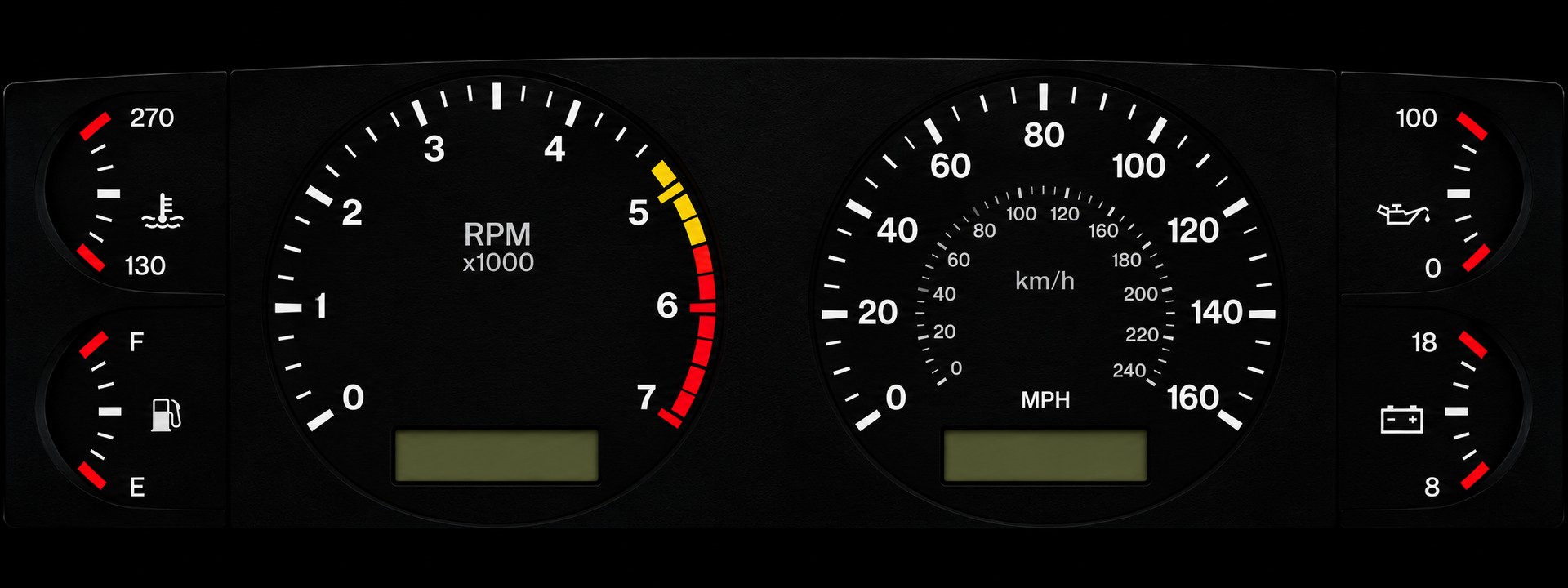
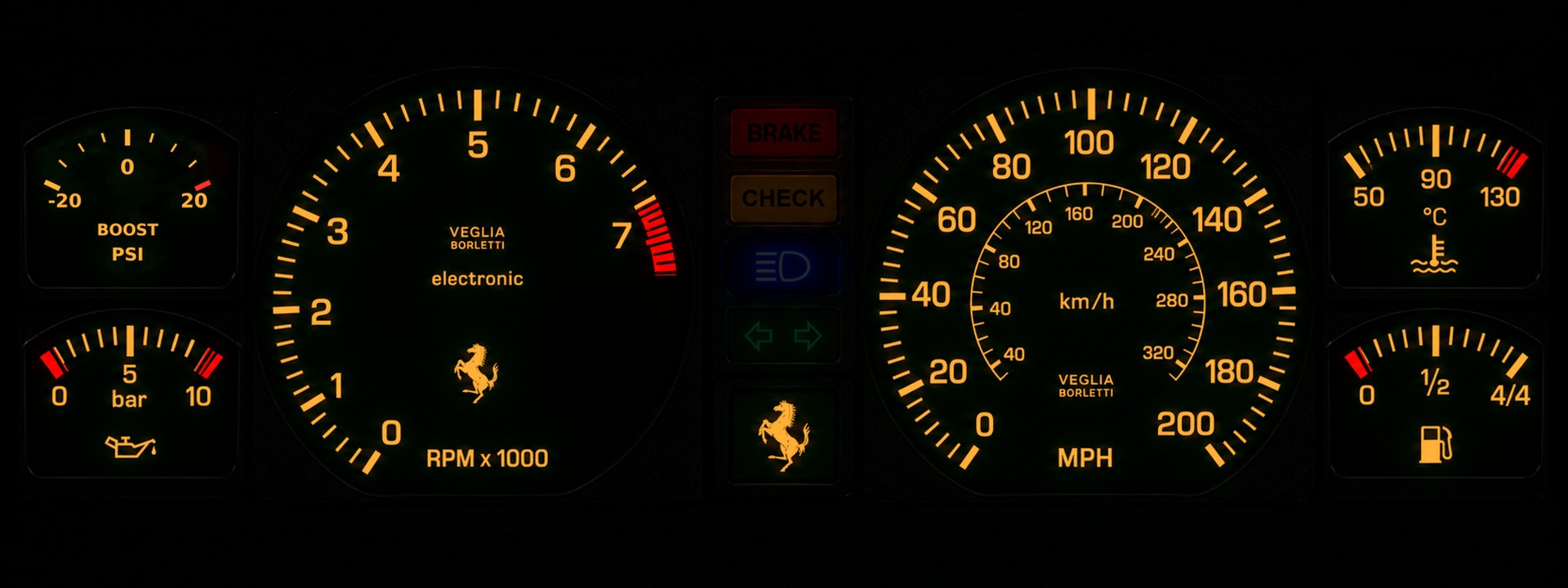
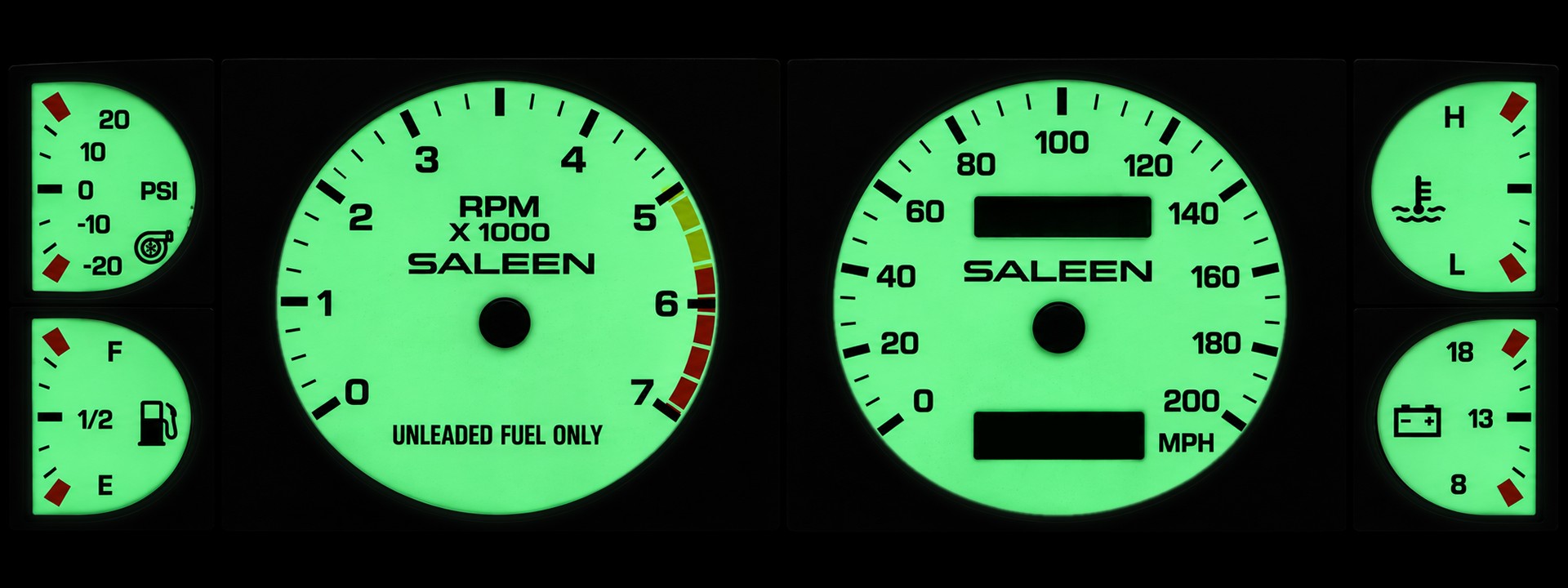
There are Street, Tuning and Track layouts that each remember their own gauge choices.
Alerts
FrogDash has 26 alerts covering oil, temperatures, boost, air/fuel, fuel, knock, ignition, electrics, water/meth, the car’s modules and the Pi itself. Each one has its own switch, threshold and delay, and a plain explanation of what it watches and what to check. They show on the dash, latch until I acknowledge them, and are saved in the drive’s record. On the photo clusters an alert lights a CHECK lamp like a real car would.
Logging and tuning
The logger writes genuine MegaLogViewer .mlg files (binary format version 2) at 20 Hz, so my logs open straight in TunerStudio and MegaLogViewer. I built it from EFI Analytics’ published specification and checked it against a real TunerStudio log: version 2, 113 fields, 278 payload bytes per record, 25,913 data records and 17 markers. An independent reader consumed the whole file with no checksum errors.
Logs are rotated and kept within a size budget. Recording runs inside the FrogDash daemon, not in the browser, so it keeps going with the screen closed, and rotation is handled by the logger itself because rotating a live binary file from outside would corrupt its header and records.
On top of the logs there is drive review: every drive with synchronised graphs, faults and bookmarks (press B to mark a moment). TunerStudio opens over the gauges, and a DBC file for SavvyCAN and cantools plus raw capture make the CAN side easy to debug.
The car’s own add-ons
- Water/methanol injection: arm it, test the pump, set presets and watch live injection status, from a controller on the CAN bus. It has failsafes and gets its own permanent status card.
- Knock monitor: live knock energy, a threshold, event history and the sensor’s spectrum, so I can see how close it is to knocking instead of just seeing a light.
- Custom taillights: a studio for shows, colours and timing, with a mirror of the LEDs on screen.
- Driving tools: a trip computer, an offline street map, a race timer, a reverse camera with guide lines and a Wi-Fi dash cam view.
A 1:45 tour of the menus, shortcuts and features.
Everything works from five steering-wheel buttons, the touch screen or a keyboard. With the engine off, the Pi’s Wi-Fi is mine: I can download logs, check faults and update the dash from a phone.
Built to keep running
A computer in a car has to survive the key going off at the worst moment, a bad update, and a frozen process, with nobody holding a keyboard. Each layer has its own recovery:
| Layer | Failure | Recovery |
|---|---|---|
| Whole Pi | Kernel hang, brownout lock-up | Hardware watchdog reboots after 15 s |
| Dash service | Python crash | Restarted after 2 s, never gives up |
| Dash service | Event loop frozen | systemd watchdog (20 s); the loop pings every 2 s |
| Screen | Browser crash or freeze | Restarted after 1 s, or when the page stops rendering for 20 to 30 s |
| CAN | Bus-off, interface reset | Kernel restarts the controller in 100 ms; the service reopens the socket |
| Data | A module goes quiet | The value expires and shows stale |
Updates that prove themselves
The dash updates itself from GitHub, in the car, with no Ethernet. The rule is that a new version is never trusted until it has shown it works:

- Trial start. The new version is started from a scratch copy, on its own port, with no CAN or GPS, while the running dash carries on. If it doesn’t answer within a minute, it is never switched to, and the result says why.
- Prove itself. After the switch the new version must answer its health page, stay up for 15 seconds, and get the screen reconnected. If it doesn’t, the updater puts the previous code and unit files back, restarts, and reports “Update undone”. The failure log is saved for the fix.
- The key going off doesn’t interrupt it. While an update runs, the shutdown logic is held off for up to 15 minutes.
This isn’t theory. In October 2026 a version imported a package the Pi didn’t have, the dash couldn’t start, and the key went off while the updater was putting the old version back. The screen stayed black until I could reach the Pi with a keyboard. I added three things so that can’t happen again:
- A recovery guard that remembers the last version that answered for two minutes. If the dash then goes silent for two and a half minutes, it restores that version and marks the bad one so it isn’t installed again.
- A rescue screen that shows instead of a black display when the dash hasn’t answered for half a minute: its state, the end of its log, and big touch buttons for restart, go back to last-good, undo the last update, update, or restart the Pi.
- A start-without-new-packages test, so the dash survives a new version that needs a dependency the Pi doesn’t have yet.
Surviving the key going off
The Pi is powered through a PiSugar 3 Plus UPS, and shutdown is handled by an independent Linux service that doesn’t depend on CAN, the browser, GPS or Wi-Fi.

A dip shorter than 8 seconds (cranking, for example) is ridden through on the battery and the countdown is cancelled. After 8 seconds, a normal systemctl poweroff runs: the logger closes its file and trip and review state are saved. Only after the filesystems are unmounted does a final hook tell the PiSugar to cut its output.
Two details I’m glad I found: the monitor watches battery_power_plugged, not battery_charging, because a full battery stops charging while external power is still present. And a missing or invalid reading counts as unknown and clears the countdown, so a glitchy I²C read can’t trigger a shutdown by itself.
Updating the other modules over the CAN bus
The ESP32 modules have no Wi-Fi and I don’t want to run a USB cable to the trunk to update the taillights. So the dash can flash them through the CAN wire that already connects them.
Two messages (0x680 from the dash, 0x681 from the module) sit in a block reserved for future use. The image goes across in blocks of 448 bytes, and each block is written only when every frame arrived and its CRC-16 matches, otherwise the dash resends it more slowly. Before restarting, the module checks the CRC-32 of the whole image and the image’s own checksum.
The new firmware always goes into a spare slot, so the running firmware is never overwritten. It then starts on trial: if the dash hasn’t confirmed it within 90 seconds, or it hangs or crashes, the module restarts into the firmware it had before.
It also refuses to run while it would matter. The dash won’t start while the car is moving and stops if it begins to move. The taillight controller drops the transfer the instant any light input comes on, so the lights always win, and the water/meth controller does the same for a running pump or boost within 1 psi of its start.
Hardware
| Part | Used for |
|---|---|
| Raspberry Pi 4 | Runs the service and the screen, in a Chromium kiosk |
| 12.3-inch 1920 × 720 bar display | The cluster |
| MCP2515 CAN interface | CAN at 500 kbit/s through SocketCAN |
| MicroSquirt ECU | Engine data over CAN |
| ESP32 modules | Gateway, taillights and water/meth controllers on the same bus |
| VK-162 USB GPS | Speed, position, lap timing, and the clock via gpsd and chrony |
| PiSugar 3 Plus | Battery ride-through and clean shutdown |
The Pi has no battery-backed clock and the car has no internet, so the clock comes from the GPS through chrony.
CAD and printed hardware
The software has to fit the Foxbody’s physical dash, not just a browser window. These are the current models recovered from my design archive: the repaired dash scan I used as the packaging reference, the race-dash panel, the Raspberry Pi display mount, the second revision of the RacePack enclosure and the datalogger case. Each viewer loads only when clicked, and the original print file can be downloaded from it.
Try it
The live preview is the production dashboard with a simulated drive in place of the car. Everything is clickable, and a DEMO · SIMULATED badge marks the generated readings. The GitHub repository has about 440 automated tests plus browser tests, installation guides, CAN and wiring docs, and a guide for each feature.
FrogDash is at version 0.4.0 and running in the car. It’s still changing, and the next steps depend on what real driving shows me.